Last updated:
The standard biodata format, section by section
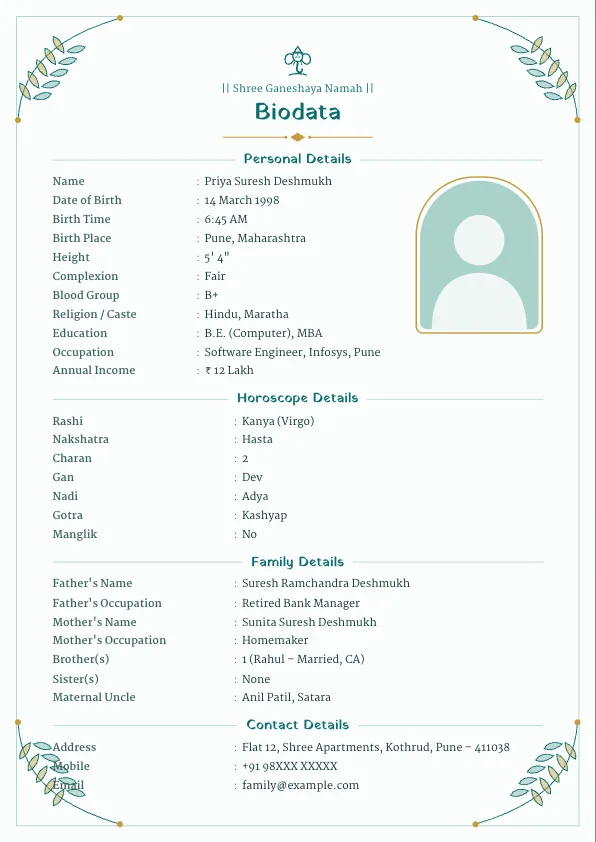
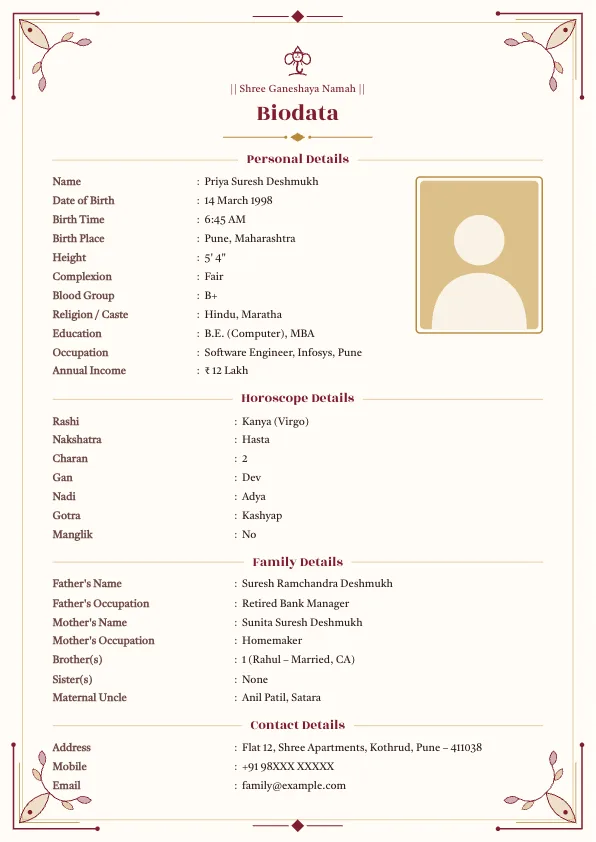
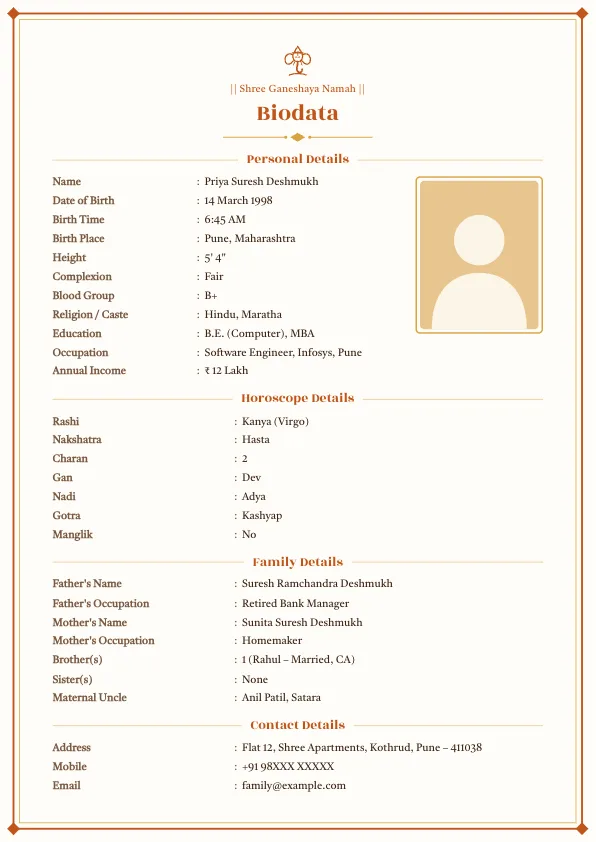
Almost every marriage biodata in India follows the same five-part structure. Families are used to reading it in this order, so sticking to it makes your biodata quick to scan.
1. Header
A short prayer line such as "|| Shree Ganeshaya Namah ||" or "|| Om ||", a small symbol or god photo, and the title "Biodata" or "Marriage Biodata". Other communities use "Bismillahir Rahmanir Raheem", "Jai Jinendra", "God is Love" or "Ik Onkar".
2. Personal details
- Full name
- Date of birth, birth time and birth place
- Height and complexion
- Religion, caste and sub-caste
- Education (highest degree first)
- Occupation, company and city
- Annual income (optional)
3. Horoscope details (optional)
Rashi, nakshatra, charan, gan, nadi, gotra, devak, kuldevta and manglik status. Leave this section out if your family does not match horoscopes. You can hide it with one click.
4. Family details
Father's and mother's names and occupations, brothers and sisters (mention whether they are married), maternal uncle (mama) and native place.
5. Contact details
Address, a mobile number of a parent or guardian, and optionally an email address. Many families end with a short "Expectations" line about the kind of partner they are looking for.
Header lines you can use
| Community | Popular top line |
|---|---|
| Hindu | Shree Ganeshaya Namah, Om, Jai Shree Krishna, Jai Shree Ram |
| Jain | Jai Jinendra |
| Muslim | Bismillahir Rahmanir Raheem |
| Christian | God is Love |
| Sikh | Ik Onkar, Waheguru |
| Buddhist | Namo Buddhaya |
Hindu, Jain, Sikh and Buddhist lines are usually written between double bars, like "|| Jai Jinendra ||". In the editor you can pick any of these or type your own line, such as your kuldevta's name, and replace the built-in symbol with a photo of your family deity or a family logo.
Sample marriage biodata format
| Field | Example |
|---|---|
| Name | Priya Suresh Deshmukh |
| Date of Birth | 14 March 1998, 6:45 AM, Pune |
| Height | 5' 4" (163 cm) |
| Religion / Caste | Hindu, Maratha |
| Education | B.E. (Computer), MBA |
| Occupation | Software Engineer, Infosys, Pune |
| Rashi / Nakshatra | Kanya / Hasta |
| Father | Suresh Ramchandra Deshmukh, Retired Bank Manager |
| Mother | Sunita Suresh Deshmukh, Homemaker |
| Siblings | 1 elder brother, Rahul (married, CA) |
| Maternal Uncle | Anil Patil, Satara |
| Contact | +91 98XXX XXXXX (father) |
Format with photo and without photo
The with photo format is the most common. The photo sits at the top right, in a sidebar or in a round frame under the header, depending on the template. Use a recent, clear, well-lit picture with a plain background, and crop it so your face and shoulders fill the frame.
The without photo format drops the frame and gives the text more room. It suits families who prefer to share photos only after the first conversation. All our templates switch automatically when no photo is uploaded. Read more in marriage biodata without photo.
Format for boy vs girl
The sections are identical; what changes is the emphasis.
- For a girl: families pay attention to education, profession and whether she plans to keep working after marriage. Softer designs such as Rose Petal and Lavender Bloom are popular. See the biodata format for girl.
- For a boy: the job line (role, company, city) and income range are read first, along with the family's home and native place. Formal layouts such as Royal Blue and Charcoal Formal suit it. See the biodata format for boy.
Format by community
The header, symbol and a few fields change from community to community. Pick a Religion preset in the Design tab and the editor sets these for you:
| Community | Header line | Special fields |
|---|---|---|
| Hindu | Shree Ganeshaya Namah | Rashi, nakshatra, gan, nadi, gotra, manglik |
| Brahmin | Shree Ganeshaya Namah | Gotra, pravar, shakha, ved, kuldevta |
| Jain | Jai Jinendra | Digambar/Shwetambar, gotra, Jain food |
| Muslim | Bismillahir Rahmanir Raheem | Sect/maslak, biradari, diet |
| Christian | God is Love | Church, denomination, parish |
| Sikh | Ik Onkar | Gurdwara, diet, clan (optional) |
A Buddhist preset ("Namo Buddhaya" with the Dhamma Chakra) is also available in the editor. For a second marriage biodata, the format is the same with a clearly worded marital status line.
One-page vs two-page biodata
A one-page biodata is the standard, and it is what families, relatives and bureaus expect. It is quick to read on a phone, prints on a single A4 sheet and forwards as one clean image on WhatsApp. Our templates reduce the text size automatically so your details always fit on one page.
A two-page biodata only makes sense when there is a lot of extended family information that elders insist on including. Even then, it is usually better to keep the main biodata to one page and share the detailed family list separately if someone asks. If your biodata is spilling over, shorten the wording ("B.E. Computer, Pune University" instead of a full sentence), hide optional fields like blood group or email, and drop the relatives list to the closest few names.
Free marriage biodata format in Word and PDF (download)
You can download our sample biodata files right on this page. There is a girl's sample and a boy's sample, each as an editable Word file and a print-ready PDF:
Open the Word file, replace the sample details with your own and print. If you want a designed layout with borders, symbols and your photo, it is quicker to fill the form in the online biodata maker and download your own PDF or Word file. More samples and editing tips are on the marriage biodata Word format page.
How to make this format online, step by step
- Open the biodata maker. The standard sections are already in place in the order shown above.
- Type your details. Use the dropdowns for height, rashi, nakshatra, gotra, education and blood group, and hide any field you don't need.
- In the Design tab, choose a Religion preset if your family is Jain, Muslim, Christian, Sikh or Buddhist, then pick a template and colour.
- Upload a photo and use zoom and position to fit it neatly, or leave it out.
- Download a PDF for printing and sharing, a JPG for WhatsApp, or a Word file for later edits.
Your biodata is saved in your browser as you type, so you can come back and change a line later on the same device.
PDF or Word: which format should you use?
Use PDF when you want the design to look exactly the same on every phone and printer. That makes it the best choice for sharing with families and matrimony bureaus. Use Word (.docx) if a relative wants to type changes later. Use JPG for WhatsApp status and quick forwards. Marathi Biodata Make gives you all three from the same biodata.
Tips for a biodata that gets responses
- Keep it to one page.
- Use a recent, well-lit photo with a plain background.
- Write the exact date and time of birth if horoscope matching matters.
- Share a parent's number, not your own, if you prefer privacy.
- Read it once on a phone before sending, since that is where most families will see it first.
For a detailed checklist of every line, see what to write in a marriage biodata.
Frequently asked questions
What is the correct format of a marriage biodata?+
Header with a prayer line and title, then personal details, horoscope details (optional), family details and contact details, all on one A4 page, usually with a photo.
Can I get a blank marriage biodata format in Word?+
Yes. Download the sample Word file on this page and replace the sample details with your own, or leave the values empty and print it as a blank form. For a designed version, fill the online maker and download your own .docx file.
Should I put a photo on my biodata?+
A clear, recent photo usually improves responses, and every template has a matching frame. It is not compulsory: if you skip the photo, the layout adjusts automatically.
Is there a different biodata format for a boy and a girl?+
The sections are the same. A boy's biodata usually highlights job, company and income, while a girl's highlights education, profession and family. The design style often differs too.
Should a biodata be one page or two?+
One page is the standard. It prints on a single A4 sheet and reads easily on a phone. Our templates shrink the text automatically so everything fits.
Is income required in a biodata?+
No, it is optional. Many families mention an annual range such as 12 to 15 LPA instead of an exact figure.
More biodata formats
- Biodata for Marriage for Girl
- Biodata for Marriage for Boy
- What to Write in a Marriage Biodata
- Marriage Biodata Word Format (Free Download)
- Muslim Marriage Biodata Maker
- Hindu Marriage Biodata Format
- Jain Marriage Biodata Format
- Christian Marriage Biodata Format
- Sikh Marriage Biodata Format
- Brahmin Marriage Biodata Format
- Biodata for Second Marriage
- Marriage Biodata Without Photo
- Kundali Matching: 36 Guna Milan Calculator
- Rashi & Nakshatra Calculator: Find Rashi, Nakshatra and Lagna by Birth Date
- Wedding Invitation Maker
- Vivah Muhurat 2026–2027: Hindu Marriage Dates, Month by Month
- Biodata for WhatsApp: Copy-Ready Marriage Biodata Text
- English to Marathi and Hindi Typing
- Height Converter: Feet and Inches to cm (and Back)
- Age Gap Calculator for Marriage
- Free tools for biodata and wedding planning